
BiliBili
Screenshots
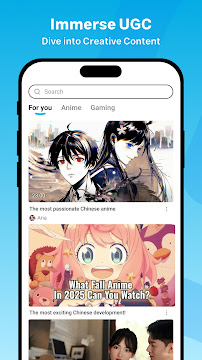
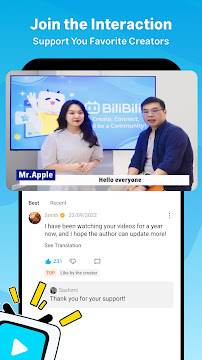
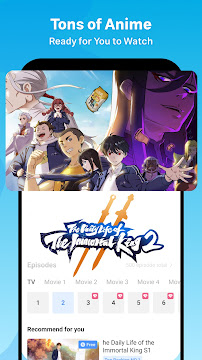
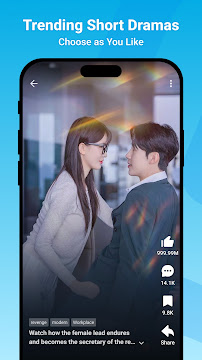
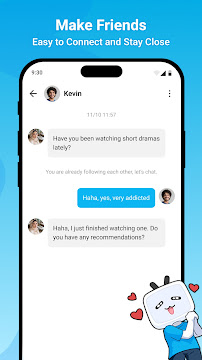
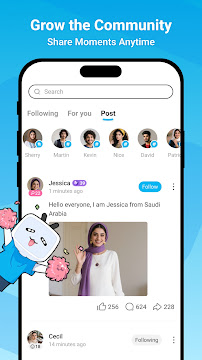
BiliBili for Android opens the door to a unique video platform. Often called “B站” by its fans, it is far more than a standard video app. This is a thriving community built around animation, comics, and gaming (ACG). You can watch everything from user-generated content to professional shows. The app brings a world of creative and niche entertainment directly to your mobile device.
Consequently, your Android phone becomes a portal to a passionate fan culture. The experience is highly interactive and community-driven. You will find content you cannot see anywhere else. Let us explore what makes this app so special for its millions of users.
What Makes the BiliBili Android App Unique?
The BiliBili app stands out because of its special features. These elements create a dynamic and engaging viewing experience.
Famous Danmaku Comments: Live comments, called “danmaku,” fly across the video screen. This creates a real-time, shared viewing party. You can see reactions and jokes from the entire audience as you watch.
- Strong Community Focus: Users actively form groups around specific interests. Furthermore, the platform encourages deep interaction between creators and their fans.
- Massive ACG Library: You get instant access to a huge collection of anime, manga, and gaming content. Much of this is officially licensed or professionally translated.
- Diverse Creative Content: Beyond ACG, you can find music covers, science explainers, and lifestyle vlogs. Talented creators constantly upload fresh and original videos.
Getting Started with BiliBili App
First, download BiliBili from the Google Play Store. The installation process is quick and simple. After opening the app, you can browse some content immediately. However, creating a free account unlocks the full experience.
Next, personalize your feed by following your favorite creators, known as “uploaders.” You can also subscribe to specific channels or topics. This action ensures your homepage always shows videos you love.
How to Download and Install BiliBili APK for Android
BiliBili is a popular video-sharing platform that focuses on anime, gaming, music, and fan-made content. Many users prefer downloading the APK version because it allows access to the latest updates quickly. It also helps users install the app on devices where the Play Store version may not be available. The process is simple and safe when done correctly.
However, you should always download the APK from a trusted source. This ensures you get a clean and secure file. Once downloaded, installation only takes a few steps. Below, you will find a simple and clear guide to help you install BiliBili APK on your Android device.
Step-by-Step Guide to Download and Install BiliBili APK
1. Enable Unknown Sources
Before installing APK files, Android needs permission.
- Open Settings
- Go to Security (or Apps & Privacy)
- Enable Install Unknown Apps
- Select your browser and allow installation from that source
This step ensures the device accepts apps outside the Play Store.
2. Download the BiliBili APK File
- Visit Filetomob.com From Your device
- Search for BiliBili APK Download
- Choose the latest stable version
- Tap Download
Wait for the download to complete.
3. Install the APK
- Open your File Manager
- Go to Downloads
- Tap the BiliBili APK
- Select Install
The installation will take a few moments.
4. Open and Enjoy
Once installed:
- Tap Open
- Create an account or log in
- Start exploring anime, live streams, fan content, and more
Final Note
Downloading and installing BiliBili APK for Android is straightforward. With just a few steps, you can enjoy one of the most engaging anime and entertainment platforms on your mobile device. Take your time, follow the instructions, and enjoy a smooth viewing experience.
Core Features of BiliBili for Android
BiliBili is a popular video platform known for its anime, gaming content, and creative community. The Android app offers a smooth watching experience with interactive features that make it stand out. It is fun, social, and designed for users who love entertainment in all forms.
1. Huge Content Library
BiliBili provides a wide variety of video content.
- Anime and animated series
- Gaming videos and live streams
- Music, dance, and performance clips
- Vlogs, commentary, and lifestyle content
- Educational and cultural videos
You can explore endless categories and discover fresh content every day.
2. Interactive Video Experience
One of BiliBili’s unique features is “Bullet Comments” (Danmaku).
- Comments appear directly on the video screen.
- Viewers react in real-time while watching.
- This creates a shared viewing experience.
- It feels like watching with friends, even when you are alone.
You can turn bullet comments on or off anytime.
3. Personalized Recommendations
BiliBili suggests videos based on your interests.
- Smart algorithm learns your preferences.
- It recommends new creators and trending content.
- Your homepage becomes more accurate the more you watch.
This helps you always find something exciting to watch next.
4. High-Quality Video Playback
The app supports multiple video formats and quality settings.
- Watch videos in HD or Full HD.
- Adjust quality depending on your internet connection.
- Smooth playback even on slower networks.
This ensures a stable viewing experience on most devices.
5. Creator and Community Interaction
BiliBili values creativity and community engagement.
- Follow your favorite creators.
- Like, comment, and share videos.
- Join fandoms and topic groups.
- Participate in discussions and quizzes.
Users often feel like they are part of a friendly, connected community.
6. Upload and Share Your Own Videos
You are not only a viewer. You can also become a creator.
- Record and edit videos directly from the app.
- Upload your content to your channel.
- Gain followers and interact with your audience.
This encourages creativity and self-expression.
7. Live Streaming and Events
BiliBili supports live broadcasts.
- Watch gaming tournaments, concerts, and talk shows.
- Send virtual gifts to interact with streamers.
- Join scheduled online events and live fan chats.
It keeps the experience exciting and dynamic.
8. Offline Viewing
You can download videos to watch later.
- Save content to your device.
- Watch without an internet connection.
- Ideal for travel and low-data situations.
This feature helps you enjoy content anywhere.
Final Thoughts
BiliBili for Android offers more than just video streaming.
It brings together entertainment, community, and creativity in one app.
Whether you love anime, games, music, or learning something new, BiliBili gives you a fun and interactive way to enjoy content every day.
Master BiliBili for Android: A Guide to the Core Features
Unlock the full potential of your BiliBili Android app. This guide will help you master its most engaging features. Consequently, you will enjoy a richer and more interactive video experience.
Let’s dive into the essentials.
The Magic of Danmaku (Bullet Comments)
Danmaku are real-time comments that fly across your video screen. They create a lively, shared viewing experience.
Understanding Danmaku
- These are not traditional comments in a box below the video.
- Instead, they appear directly on the screen as you watch.
Managing Your Danmaku View
You have full control over these bullet comments.
- To Enable/Disable: Tap the shield icon on the video player’s bottom right. You can turn them off completely or adjust their density.
- To Change Color/Size: Before sending a Danmaku, use the color palette and font size buttons on the input panel. You can make your comments stand out.
Why Danmaku Matter
This feature is core to the BiliBili community. Furthermore, it transforms watching from a solo act into a group event.
- Experience collective laughter during funny scenes.
- Get instant explanations from other viewers in complex tutorials.
- Feel a sense of connection with fellow fans.
Searching and Discovering Content
Find exactly what you want to watch with BiliBili’s powerful search.
Using the Search Bar
The search bar is at the top of the app’s home screen. Simply tap it and type your keywords.
Pro Search Tip: Use Pinyin
Can’t type in Chinese? No problem. You can use Pinyin (Romanized Chinese) to find popular content.
- For example, search for “Genshin” to find content for the game 原神.
- Similarly, try “Xianzhou” for 仙舟.
Narrowing Results with Filters
After you search, use the filter button. You can then sort results by:
- Most viewed videos.
- Latest upload date.
- Specific video duration.
Interacting with Content and Creators (UP主)
Show your appreciation and support for your favorite video creators, known as UP主.
Basic Interactions: Like, Favorite, Share
Below every video, you will find clear buttons.
- Like (投币): This is the primary “thumbs-up” button.
- Favorite: Save the video to your personal list for later.
- Share: Send the video to friends on other platforms.
The Unique “Coin” System
The “Coin” is a special way to support UP主.
- You can give up to two coins per video.
- This acts as a super-like and directly rewards the creator.
- Find the “Coin” button next to the “Like” button.
Joining the Conversation
Engage with the community by writing comments.
- Scroll down to the comment section.
- Tap the input box to write your own thought or reply to others.
Subscribe for More (关注)
Never miss an upload from a UP主 you love. Simply hit the red “Follow” (关注) button on their channel page. This adds their new content to your personal feed.
Offline Viewing: Watch Anywhere
Save videos to watch later without using your mobile data. Follow these simple steps.
A Step-by-Step Download Guide
- Open the video you want to download.
- Tap the download icon (a downward arrow) below the video player.
- Select your desired video quality (e.g., 720p, 1080p).
- Confirm your selection. The download will begin immediately.
Accessing Your Downloads
Go to your profile by tapping the “Me” icon in the bottom-right corner. Then, select “Offline Cache” to see all your downloaded videos. Now you can enjoy your favorite BiliBili content anytime, anywhere.
Master BiliBili for Android: Pro-Tips for a Better Experience
Go beyond basic viewing. These pro-tips will transform how you use BiliBili on your Android device. You will enjoy a more personalized, efficient, and high-quality experience.
Customize Your Danmaku for a Cleaner View
Danmaku comments are fun. However, they can sometimes be messy. Take control of your screen.
- Block Keywords: Tired of repetitive or spoiler comments? Use the keyword filter. You can block specific words or phrases. This creates a much more relevant danmaku stream.
- Adjust Opacity and Speed: Make danmaku less distracting. Lower the opacity so the comments are semi-transparent. You can also adjust their scrolling speed. This helps you read comments without missing the video action.
Furthermore, you can change the danmaku font size and position them to the top or bottom. This keeps the center of the screen clear.
Master Playback with “Dual Speed” Mode
Did you know you can set different speeds for the video and the danmaku? This is a game-changer.
First, set your video to a faster speed, like 1.5x. This lets you watch content more quickly. Then, set your danmaku to a slower speed, like 1.0x. Now you can read the comments comfortably without pausing. This feature perfectly balances efficient viewing and community interaction.
Find High-Quality 1080p and 4K Content
Not every video on BiliBili is in high definition. Follow these steps to find the best quality.
- Look for the HD Badge: Before clicking a video, check its thumbnail. A “1080P” or “4K” badge usually means high quality.
- Check Playback Settings: After opening a video, tap the settings icon (often three dots or a gear). Then, select “Playback Speed & Quality.” Here, you can manually select the highest available resolution, like 1080p High or 1080p 60FPS.
Remember, uploaders must enable high-quality encoding. If you don’t see these options, the video is not available in HD.
Explore Dark Mode for Night Viewing
Protect your eyes during nighttime binges. BiliBili’s Dark Mode is perfect for comfortable viewing in low light.
Simply go to your profile settings. Then, find the “Dark Mode” or “Theme” option. You can usually set it to switch on automatically at sunset. This reduces eye strain and saves battery life on phones with OLED screens.
Manage Your Mobile Data Usage
Watching videos can use a lot of data. Use BiliBili’s settings to stay in control.
- Pre-Load Videos: On Wi-Fi, you can pre-load videos you want to watch later. Go to Settings > Playback Pre-load. Turn this on to avoid buffering when you are on the move.
- Limit Data Consumption: In the same settings area, you will find a “Data Usage” option. You can set a limit for video quality when using mobile data. For example, choose “720P” to save data without sacrificing too much clarity.
Therefore, by adjusting these settings, you can enjoy BiliBili without worrying about your data plan.
Become a Power User Today
Try these tips to unlock the full potential of BiliBili on your Android. You will get a cleaner interface, smarter playback, and a more controlled viewing experience. Happy watching.
Navigating BiliBili for Android: A Guide to Challenges and Simple Solutions
BiliBili is a fantastic Android app. It is full of unique videos and creative communities. However, new international users can face a few hurdles. This guide will help you overcome the most common challenges. You can then enjoy a smoother BiliBili experience.
1. Overcoming the Language Barrier
The BiliBili interface is primarily in Chinese. This can be confusing at first. Fortunately, you have several ways to understand the content.
Solution:
- Use Built-in Translation: First, check your phone’s settings. Modern Android devices often have a “screen translator” option. You can usually find it in the Accessibility or Google settings. This feature can translate text within apps.
- Leverage External Apps: Secondly, use powerful external tools. Download apps like Google Translate. Its camera function lets you point your phone at the screen. It will translate text in real-time. This is perfect for navigating menus and reading video titles.
- Look for English Subtitles: Furthermore, many video creators add English subtitles. This is especially true in popular niches like technology, gaming, and animation. Always check the video description or the subtitles (CC) button on the player.
2. Understanding Regional Licensing
Sometimes, you might find a video is unavailable. You may see a message that it is “not available in your region.” This is usually due to regional licensing restrictions.
Explanation:
Content owners, like anime studios or movie distributors, sell rights by country. BiliBili may only have a license to show a specific show in China. Consequently, they must block it for viewers in other countries.
Solution:
- Search for User-Uploaded Content: Often, users upload clips, reviews, or edited versions. These can sometimes bypass geo-blocks.
- Explore Similar Content: BiliBili has a massive library. You will likely find similar, unblocked videos from other creators.
3. Adapting to Community Etiquette
BiliBili has a unique and vibrant community. The culture in the comment sections may differ from Western platforms like YouTube.
Guidelines:
- Be Respectful: Always be polite in your comments. The community values respectful interaction.
- Understand “Danmaku”: These are the live comments that fly across the screen. They are a core part of the experience. Do not spam them. Use them to add to the conversation, not to disrupt it.
- Observe First: Finally, spend some time watching how others interact. This will help you understand the local customs before you participate actively.
In conclusion, these challenges should not stop you from exploring BiliBili. With these simple solutions, you can unlock a world of unique entertainment on your Android device.
Frequently Asked Questions About BiliBili for Android
BiliBili is a popular video-sharing platform known for anime, gaming, music, and creative content. Below are common questions and simple answers to help new users understand the app better.
1. What is BiliBili for Android?
BiliBili is a video streaming app available on Android devices.
It offers anime shows, fan-made videos, game streams, music clips, and more.
It is especially popular among anime and gaming communities.
2. Is BiliBili free to use?
Yes, BiliBili is free to download and use.
However, some extra features or premium content may require a paid membership.
Most videos can be enjoyed without payment.
3. Do I need an account to watch videos?
You can watch many videos without signing in.
But creating an account gives you more benefits, such as:
- Commenting on videos
- Liking and saving favorites
- Subscribing to channels
- Personal recommendations
4. What makes BiliBili different from other video platforms?
BiliBili is built around its active community.
Users interact with “Danmaku” comments, which appear on the screen in real time.
This makes watching videos feel more social and fun.
5. Can I watch anime on BiliBili?
Yes. BiliBili has a large library of anime series and movies.
Some may be officially licensed, while others are fan uploads.
Availability may vary depending on your region.
6. Is BiliBili safe to use?
Yes, BiliBili is considered safe.
It is a well-known platform with millions of users.
However, as with any online community, always avoid sharing personal information.
7. Can I upload my own videos?
Yes, users can upload content to BiliBili.
To do this, you need to create an account.
Creators can share:
- Art and animation
- Gaming streams
- Music and dance covers
- Tutorials and vlogs
8. Does BiliBili support subtitles?
Yes, many videos include subtitles.
Users can also add their own subtitles to help the community.
This is useful for international viewers.
9. Can I download videos for offline viewing?
Yes. BiliBili allows offline downloads in the mobile app.
This helps you watch content without internet connection.
10. Is BiliBili available in all countries?
BiliBili is available worldwide.
However, some videos may be blocked depending on the region.
Using a VPN may help access more content, but it depends on local laws.